

Description:
1)Different kinds of capture to display clear pictures;2)High-power capacity lithium;
3)Easy to use;
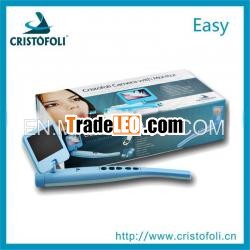
Easy is the newest hand-held intra oral camera from us. Itslightweight design and smooth contours make it both comfortable tohold and easy to use. Taking images with Pocket Cam’s integratedcapture button makes video capture a simple one-step operation. Andits built-in LED light source provides reliable, long-lifeillumination. It is easy to take, customers can use it anywhere,the images can be saved into SD card and the images won’t disappearforever. It is a helpful tool for dentists.
1.Standardconfiguration
2.Intra oral camerafunction introduction
1) 1/4 CMOShigh resolution intra oral camera.
2) Built-in SDcard, video output, or connect with computer through USB cardreader.
3) Reliablelight source with 6 pieces of white light LED.
4) Convenientto carry, the images display on 2.5inch LCD.
5) It has 5buttons to control: freeze, save, previous image, next image, anddelete.
6) It is easyto carry, you can use it anywhere, the images can be saved into SDcard and the images won’t disappear forever.
7) Easyoperation and automatic focus, camera can be used without dockingstation.
8) High powercapacity lithium battery, it doesn’t need to connect with otheradapter, keeping a long service life.
3.Operation
a) The right side
1) Press option 1 first time, the images will be freezed, press option2 for long time, the camera will be power off.
2) Press option 2, power on the camera, and after press Freezedbutton, the images can be saved in SD card.
3) Press option 3, can check the previous image.
4) Press option 4, can check the next image.
5) Press option 5, delete the image.
6) Insert the small LCD monitor into this hole.
b) Back
c) Contrary
- Press option 1 first time, the images will be freezed, pressoption 2 for long time, the camera will be power off.
- Press option 2 power on the camera, and after press Freezebutton, the images can be saved in SD card.
4. Wired operation sketchmap
1) Let the MINISD card insert into the camera
2) Let the small LCD monitor insert into the camera
Finish
5. Use thecamera
Press the Save button, the camera will be power on, the smallmonitor also is power on. After capture the image, press Savebutton, the images can be saved in the SD card, press the previousand next buttons, customers can check the images what had beencaptured by camera and the small monitor will display the image atthe same time.
MINI SD card can save 500pcs pictures. Afterfinishing capture, please take off SD card and put it into belowequipment.
After this operation, insert this SD card into computerdirectly.
Double click “MY COMPUTER”, then double click DiskH
Double click “PHOTO” and then double click”VGA”
Customers can check all the images they captured, and theycan also save all the images into any hard disk ofcomputer.
Cristofoli
Develop innovative solutions to protect life and promotehealth
Delivery innovative solutions
Cristofoli, Natural Respectfor Life
Cristofoli was on theExhibition
Liliana and Dr. José Luiz Laricchia Martins were giving lectures inCristofoli’s Booth.
Cristofoli TECdepartment

