

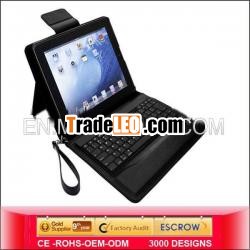
Description:
1.BT keyboard2.w/ stand
3.use for iphone
4.silicone keyboard covers for toshiba laptop
5.french keyboard
french keyboard
This is a wireless Bluetooth keyboard which can be used on your desk, on your lap, or anywhere.
It is super slim size with number keys. The cable-free Wireless Keyboard uses Bluetooth wireless
technology. Its compact design frees up desk space and it runs very fast with inside rechargeable
battery.Bluetooth keyboards are able to transmit typed information to other computer components
without a physical wire.
Main Market:
USA,Spain, Brazil, France, Italy, Germany, UK, Russia, India, Japan, Saudi Arabia, Mexico,Canada,
Korea, Australia, Philippines, Ukraine, Columbia, Peru, Netherland etc...
Descriptions |
Bluetooth Standard: Bluetooth V3.0 |
Operating system: Windows XP, Win7, Vista and Mac |
Built in Li-polymer battery, Charging via usb port |
Number of keys:50/59/76/78/82/84/85/86keys available for choice |
Material:Pu leather, aluminum alloy, silicon, |
Colors: white, black, pink, silver, red, brown, blue |
MOQ:50pcs, Mixed order accepted if have inventory |
Delivery Time: we will effect shipment within 7-15 days after /confirm/i your payment. |
Features |
Stand Leather Case With Bluetooth Silicone Keyboard For iPad 4th 3rd 2nd |
Color:Blue/Red/Black//White/Pink/Purple |
Stylish protective PU leather case designed for iPad 2nd 3rd 4th generation. |
All ports and functions are accessible (Camera, Speaker, earphone, mic and charging ports). |
display stand for easy viewing. |
Bluetooth keyboard can be used to connect with other compatible Bluetooth-enabled devices. |
Light weight, quiet keystroke, dust proof and water-proof. |
Energy saving keyboard with sleep mode. |
Built-in rechargeable keyboard battery and USB charging cable included |
Logo imprint: silk screen, embossing |
Packing Contents: |
1.Bluetooth 3.0 Keyboard |
2.Usb Charging Cable |
3.User Manual |
Package: gift box, retail box, neutral packing, bulk package for choice |
How to Connect the Keyboard to Tablet |
A. You simply need to put your keyboard into pairing mode |
B. Go to Settings on the pad ->General ->Bluetooth |
C. Then tap the keyboard''s entry |
D. You''ll see the keyboard''s name not paired |
E. Click the name |
F. The Pad will pop up a message with a pairing code you need to enter into the keyboard. |
G. Simply enter text on your Bluetooth keyboard |
H. Tap Enter |
I. The tab will displaying Connection successful |
Payment Terms/methods |
30% deposit and balance before shipment |
Paypal, Western Union, MoneyGram, Escrow and Western Union |
Delivery Methods |
DHL, Fedex, Ups and EMS, also you can choose you want |
We will strive to provide you with high quality products at the most competitive |
french keyboard
french keyboard

