

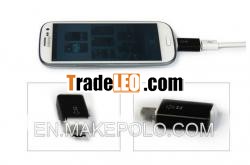
Brand:Noosy
MOQ:100
Quantity:10
Product Features:
Micro-USB shaped MHL jack;
Automatically switches the phone into USB data / charging or MHLaudio / video modes;
This MHL adaptor allows you to create an HDMI output via yourhandset''s micro USB connection;
Your device come with an MHL adapter include in the box with allowsyou to view videos and other media that you have on you phone, on acompatible HD TV;
Use a signle, thin adapter to connect to mobile decice to the HDTV;
Connects Micro USB Female port to computer or Power adapter forcharging and getting power using a micro USB to USB M/Mcable;
Built-in MHL Receiver converts s using a signle differential pairto HDMI four differential pairs;
Supports Max resolution to 1280*720p and all bandwidth between25-75Hz.
Compatible with:
Samsung Galaxy S III I9300
Samsung Galaxy S II I9100
HTC G14 Sensation
HTC EVO 3D
Samsung I997 Infuse 4G
HTC Flyer
Specification:
1. Input connector: Micro USB Male x1
Output connector: HDMI Female x1
Other connector: Micro USB Female x1 for charging
2. Size: 257x112x25mm
Weight: 30g
3. Operating temperature range^^^^^0 ° C to 70° C
Operating humidity range^^^^^^10% to 85 % RH (no condensation
4. Power supply: No
To connect your device, follow below steps:
Connect one end of a universal HDMI cable into the MHL Adapter.
Then connect the other end to the HDMI port on your TV. Note: TheUniversal HDMI cable is not included with your device.
Connect your Travel Charger to the MHL Adapter. Warning! : Makesure that you use the Travel Charger that was included with yourphone. If you use an unapproved travel charger, there is apossibility that the MHL adaptor might not function properly.
Connect your Travel Charger to an approved power source.
Connect the MHL Adapter connector into the Power/AccessoryInterface port on your device. This is the same port that younormally use to connect your Travel Charger. Note: Do not connectthe MHL Adapter to your device through the Desktop dock. The Videoand Audio output will not work correctly. The TV screen willinstantly display what is on your device home screen.
Note:
After connecting the MHL Adapter, the upper and lower sides ofthe TV/Monitor''s screen may be cut off. In this
Case, you can adjust the TV/ Monitor in the Settings menu onyour TV. Consult your TV owner''s manual

