

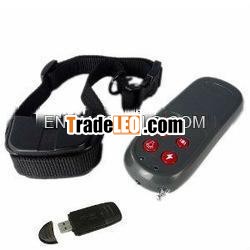
Brand:JDC
MOQ:10
Quantity:10
Send Inquiry
Vibration Static Impulse 3-Level Whistle LEDLight
User’s Manual of 816 Remote Control DogTraining Collar
(Vibration and StaticImpulse)
- I. Preparation Before Using
- Check that battery is installed in the remote controller thenswitch it on.
- Match the remote controller and the receiver. As soon asputting batteries into the receiver, you should press vibration orshock button on the remote controller and the receiver will vibratetwice. In this way the match is done and the remote control systemcan operate normally.
- If the receiver vibrates on its own without pressing any buttonafter batteries are installed, please take out the batteries forover ten seconds and put them back and try step 2 again.
- Checking the remote controller: Press the buttons on the remotecontroller one by one, the indicator light will light. If theindicator light doesn’t light or goes dim, change thebatteries.
- Checking the receiver: With the vibration induction switch init, the receiver will enter into standby mode automatically uponshaking. The receiver will turn off automatically when it is instillness for more than 3 to 5 minutes, so as to save power.
- Connect the collar and the receiver. Adjust the length of thecollar so that it suits the neck of your pet best. Don’t make ittoo tight while the discharging point of the receiver can touch theneck of the pet.
- Press the vibration button on the remote controller and thereceiver will vibrate. In about three seconds, weak static impulsewill be release and it will turn stronger gradually and will bestopped in 9 seconds.
- Press the shock button on the remote controller and thedischarging point will release static impulse. The dischargingstate can be checked by the testing light supplied separately inthe box.
- Press the whistle button on the remote controller and a soundwill be made from the receiver.
10. Press the light button on the remote controller and the LEDin front of the remote controller will light.

