

MOQ:1
Quantity:3
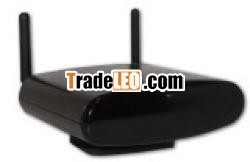
A. I. O Gateway With Intelligent ControlFunction, RF, IR, IP Control
What Is Gateway
1. The Gateway Is World First Intelligent Solution To ControlHome's Electric Device
2. The Gateway Has Below Interface
A) IR Receiver (To Learn Remote Control's Signal)
B) IR Sender (To Send The Remote Control Signal To TheDevice.
C) RJ 45 Jack Is To Be Transferring Bridge Between Device AndSmart Phone, Tablet PC
D) RF 433 Transmitter To Send And Receive The RF Signal
E) RF 868 Transmitter To Send And Receive The RF Signal
3. The Gateway Can Do (Current)
A) The Real Universal Remote Controller
B) Security Device With RF Detectors
C) IP Camera Control Via IP Control Function. Also It CanMake Photo
4. The Gateway Will Do
A) The Lighting Control System Via RF Switch (UnderDevelopment)
B) The Energy Saving System (To Control HomeTemperature) Via RF Temperature Control (UnderDevelopment)
C) The Sprinkler Management System Via RFSwitch (Finished Development) only For SpecialCustomer
What You Can Do With Gateway
1. Universal Remote Controller
A) The Gateway Will Be Assisted To Make Your SmartPhone, Tablet PC, I Phone, I Pad To Be UniversalRemote Controller
B) The Gateway Has Infrared Receiver And Sender. You CanCreative Own Remote Controller On Your Smart Phone, TabletPC, I Phone.
C) It Can Be Useful For Various Home Electronics DeviceControl Via Gateway.
D) The A. I. O Creator S/W Can Help To Creative YourOwn Remote Control Design
E) A. I. O Gateway IR Interface Make It Available ToOperate All The Devices Which Has IR RemoteController, E. G. TV, DVD, HIFIAudio, IPod Docking, You Can Choose Android SmartPhone, I Phone, I Pad, Tablet PC Or Computer To BeYour Universal Remote Controller
F) User Can Make Customized Icon Design And Layout base onTemplate Provided By A. I. O Creator Or On-Line
2. Security Device With RF Detectors (Via 433MHz Or868MHz)
A) The Gateway Send Email Or Alarm Message To User Via LAN Or3G
B) User Get Real Time Email In Smart Phone And Can Check IPCamera, Then Call To Security Guard
3. IP Camera Control Via IP Control Function. Also It CanMake Photo
What You Should Check Before Installation
1. To Use Remote Controller Function
A) Local Area Network Only
B) Infrared Device Distance Must Be Less Than 7 MeterWithout Any Obstacle
C) Remote Controller Which You Want To Use
2. To Use RF Detector Function
A) RF Detector Which You Have Bought With Our Gateway
B) Check Whether The Smart Phone Or Tablet Can Support 3G ToGet Alarm E-Mail
3. To Use IP Camera Function
A) VPN Or DDNS Network To Control The IP Camera FromOutside
B) Smart Phone, IPad, IPhone, Tablet PC Need ToConnect With 3G Or WiFi
Installation For Gateway
1. Plug The Internet Cable Into Gateway Cable Plug(TheInternet Cable Is Not Provided With The Product)
2. Plug The RF Antenna Into Gateway Antenna Plug
A) 868 Hz Antenna(Has Marked On The Antenna) Has To PlugIn Left Side Of Internet Cable Plug
B) 433 Hz Antenna(Has Marked On The Antenna) Has To PlugIn The Right Side Of Internet Cable
3. Plug The Power Cable To Power Plug Of Gateway. RedLamp(The Front Side Of Gateway)Will Be ON
IR,RF Remote Control:
IP Remote Control:

