

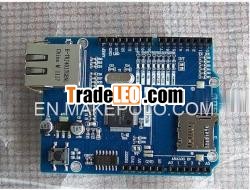
Brand:hkshanhai
MOQ:5
Quantity:5
- External Interrupts: 2 and 3. These pins canbe configured to trigger an interrupt on a low value, a rising orfalling edge, or a change in value. See the attachInterrupt() function fordetails.
- PWM: 3, 5, 6, 9, and 10. Provide 8-bit PWMoutput with the analogWrite()function.
- SPI: 10 (SS), 11 (MOSI), 12 (MISO), 13 (SCK).These pins support SPI communication using the SPI library.
- LED: 9. There is a built-in LED connected todigital pin 9. When the pin is HIGH value, the LED is on, when thepin is LOW, it''s off. On most other arduino boards, this LED isfound on pin 13. It is on pin 9 on the Ethernet board because pin13 is used as part of the SPI connection.
The Ethernet board has 6 analog inputs, labeled A0 through A5,each of which provide 10 bits of resolution (i.e. 1024 differentvalues). By default they measure from ground to 5 volts, though isit possible to change the upper end of their range using the AREFpin and the analogReference()function. Additionally, some pins have specializedfunctionality:
- TWI: A4 (SDA) and A5 (SCL). Support TWIcommunication using the Wirelibrary.
There are a couple of other pins on the board:
- AREF. Reference voltage for the analog inputs.Used with analogReference().
- Reset. Bring this line LOW to reset themicrocontroller. Typically used to add a reset button to shieldswhich block the one on the board.
See also the mapping betweenArduino pins and ATmega328 ports.
Communication
The Arduino Ethernet has a number of facilities forcommunicating with a computer, another Arduino, or othermicrocontrollers.
A SoftwareSerial libraryallows for serial communication on any of the Uno''s digitalpins.
The ATmega328 also supports TWIand SPI communication. The Arduino software includes a Wire libraryto simplify use of the TWI bus; see the documentation for details. For SPIcommunication, use the SPIlibrary.
The board also can connect to a wired network via ethernet. Whenconnecting to a network, you will need to provide an IP address anda MAC address. The EthernetLibrary is fully supported.
The onboard microSD card reader is accessible through theSD Library. When working withthis library, SS is on Pin 4.
Programming
It is possible to program the Arduino Ethernet board in twoways: through the 6 pin serial programming header, or with anexternal ISP programmer.
The 6-pin serial programming header is compatible with FTDI USBcables and the Sparkfun and Adafruit FTDI-style basic USB-to-serialbreakout boards including the Arduino USB-Serial connector. Itfeatures support for automatic reset, allowing sketches to beuploaded without pressing the reset button on the board. Whenplugged into a FTDI-style USB adapter, the Arduino Ethernet ispowered off the adapter.
You can also program the Ethernet board with an externalprogrammer like an AVRISP mkII or USBTinyISP. To set up your environment forburning a sketch with a programmer, follow these instructions. This will delete theserial bootloader, however.
All the Ethernet example sketches work as they do with theEthernet shield. Make sure to change the network settings for yournetwork.
Physical Characteristics
The maximum length and width of the Ethernet PCB are 2.7 and 2.1inches respectively, with the RJ45connector and power jack extending beyond the former dimension.Four screw holes allow the board to be attached to a surface orcase. Note that the distance between digital pins 7 and 8 is 160mil (0.16"), not an even multiple of the 100 mil spacing of theother pins.

